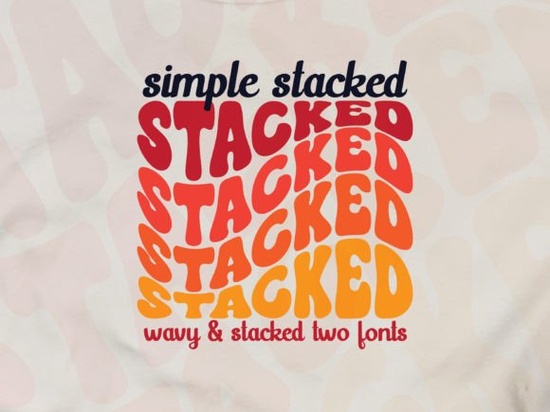
If you are looking for a typeface that instantly brings back the 70s without feeling dated, the Simple Stacked Font is a solid choice. This groovy font style features a distinct wavy effect and a triple rainbow layering that catches the eye immediately. It strikes a balance between playful and stylish, making it an excellent tool for retro-inspired projects and modern branding that needs a touch of nostalgia.
Many designers struggle to find display fonts that feel fun but still maintain readability. This typeface solves that by keeping the letterforms clear while adding that signature stacked depth. Whether you are creating logos for a coffee shop or designing graphics for a print-on-demand store, the triple-layer effect adds dimension without requiring complex vector editing.
What makes the wavy effect stand out?
The defining feature of this font is its fluid, undulating baseline. Unlike rigid block letters, the waves give the text a sense of movement. This is particularly useful for designs that aim to feel organic or hand-drawn. If you enjoy this specific aesthetic, you might also want to explore the Real Wavy Stacked Font, which offers a similar liquid motion for your typography projects.
The "triple rainbow" aspect refers to the three distinct layers of the font. When used correctly in software like Adobe Illustrator, these layers allow you to apply different colors to the front, middle, and back of the text. This creates an automatic shadow or 3D effect that saves you time during the design process. You do not need to manually offset duplicates of your text to get that retro pop.
Who should use this for their business?
This typeface is versatile enough for several creative niches. Here are a few groups who will get the most value out of it:
- Print-on-Demand Sellers: The bold, stacked nature of the letters prints well on t-shirts, tote bags, and mugs. It remains legible even when scaled down for stickers.
- Small Business Owners: If you run a boutique, a bakery, or a vintage store, this font helps establish a friendly and approachable brand identity.
- Social Media Managers: The colorful layers make for eye-catching Instagram stories or Pinterest pins that stop the scroll.
While this font leans heavily into the retro vibe, it is clean enough for modern applications. However, if your brand requires something with a bit more edge or texture, you might consider pairing it with a Funky Grunge Font for a high-contrast look that mixes smooth waves with rough textures.
How do you get the best results in Illustrator?
Since the recommended software is Adobe Illustrator, you have full control over the vector paths. To maximize the triple rainbow effect, try using the "Expand" function. This turns the font into editable shapes, allowing you to separate the three layers completely.
Once separated, you can:
- Change the color of the back layer to a dark shadow tone.
- Make the middle layer a mid-tone accent color.
- Keep the front layer white or a bright, contrasting hue.
This technique is standard for creating vintage badge logos. For more inspiration on how to layer display fonts effectively, you can check out resources on Adobe's typography basics.
What are some good pairing options?
Because Simple Stacked Font is so decorative, it works best when paired with something simple. A clean sans-serif font for body text allows the wavy header to shine. However, if you are designing for a youthful or sweet brand, you might want to mix it with something equally playful.
For example, combining this groovy style with a Strawberry Milk Candy Font can create a super cute, sugary aesthetic perfect for kids' products or dessert menus. On the other hand, if you need a strong, athletic contrast, pairing it with a Varsity Sport Army Font creates an interesting clash between retro fun and bold strength.
For those who prefer floral or nature-inspired themes, this font also complements organic shapes well. You could look at the Crafty Bloom Font to see how display fonts can be adapted for more botanical design projects.
Practical tips for your next design
Before you start your next project, keep these quick tips in mind to ensure your typography looks professional:
- Check Kerning: Wavy fonts sometimes have irregular spacing between letters. Adjust the kerning manually to ensure the words flow smoothly.
- Limit Your Palette: Since the font has three layers, using too many colors can make it look messy. Stick to a cohesive 3-color palette.
- Test Readability: Always view your design at 100% zoom or print a test copy. What looks good on a large screen might get muddy on a small sticker.
- Use White Space: Give the wavy letters room to breathe. Crowding them against other elements reduces the impact of the stacked effect.
By focusing on clean layering and smart color choices, you can turn a simple text element into the focal point of your design. Whether you are making a logo for a new venture or just adding some retro flair to a personal project, this font provides the tools you need to get that authentic 70s look.
Explore Design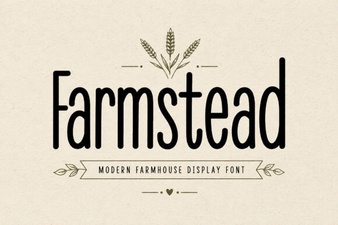 Farmstead Font: Crafting Rustic Digital Designs
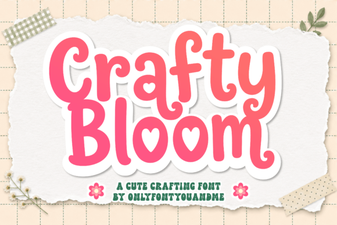 Crafty Bloom Font: Tips for Creative Typography Projects
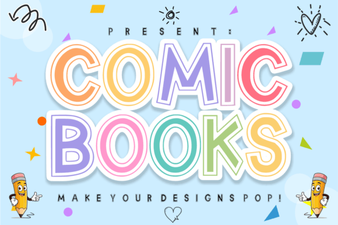 Font Styles for Creative Comic Book Projects
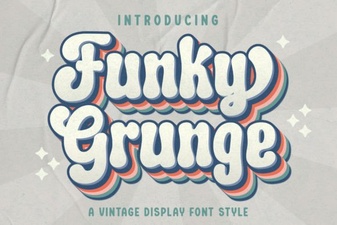 Funky Grunge Font Design & Download Guide
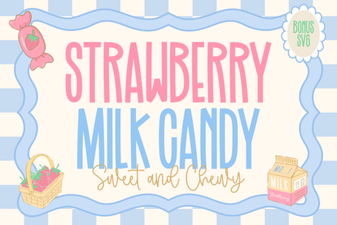 Font Designs for Sweet Strawberry Candy Projects
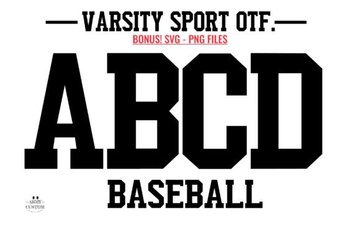 Varsity Army Fonts for Sports Branding Projects